
For the people who make it a memory
One family. Many cameras. A shared story.
The birthday is on your phone. The first steps are on your partner's. The story behind an old photo lives with a grandparent. A shared family album gives those pieces a place together, without turning your family life into a public feed.
Start with LoomdyUpdated:
01
Start with one moment, not your entire library
Choose a family trip, a birthday or a collection of everyday moments. Create an album in Loomdy and give it a name your relatives will recognize. Start with a few meaningful photos and videos: a focused album is easier to understand and contribute to than an unexplained collection of thousands of files.
02
Invite your people and choose their role
Share an invitation with the relatives you want in that album. Album permissions let you distinguish viewing from contributing or administering. Explain what you would like them to add, and share links directly with intended recipients rather than on a public profile. Review membership when your sharing needs change.
03
Keep the story beside the picture
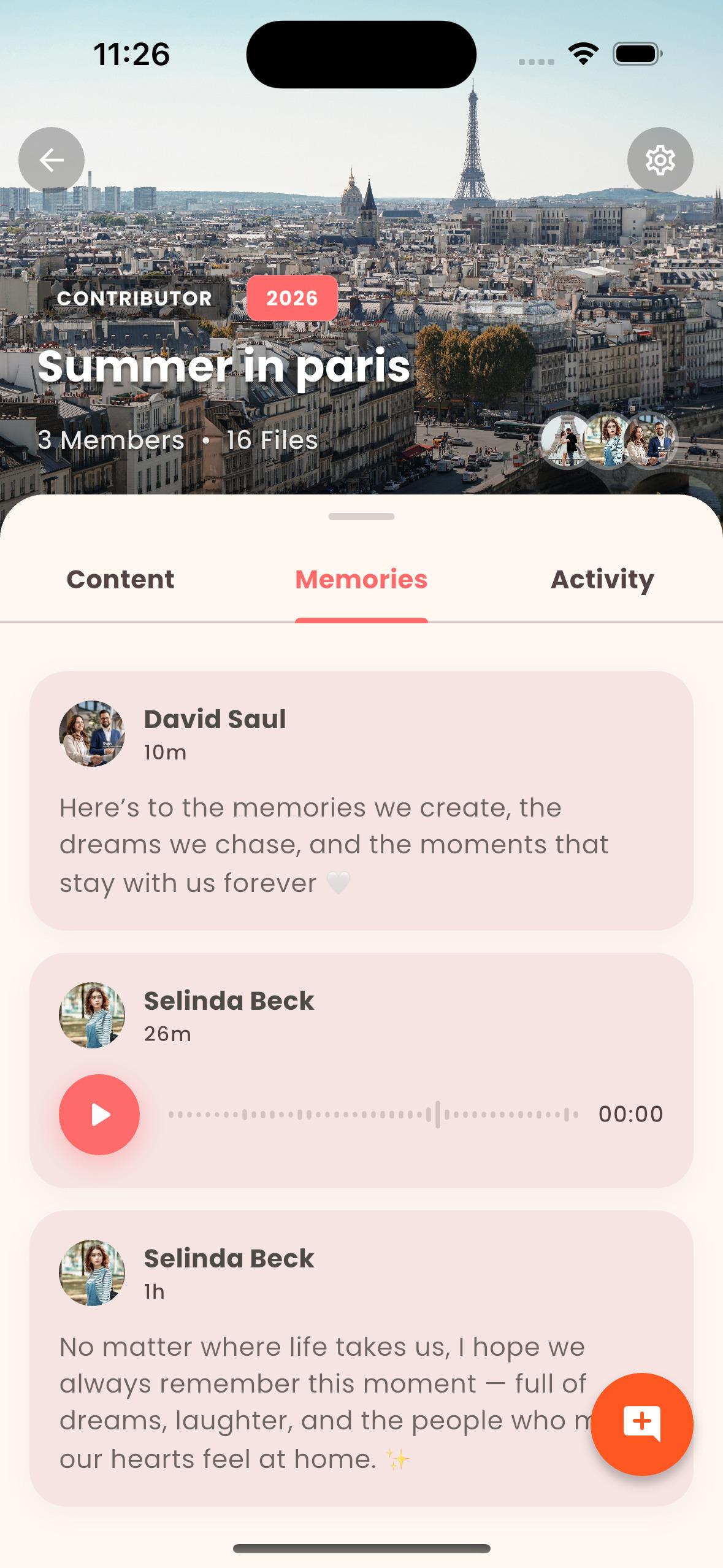
Photos show what a moment looked like. Comments and voice memories help explain why it mattered. Add the name of a place, a family expression or the story everyone tells differently. Loomdy brings these contributions alongside shared media, so relatives can participate with more than another photo.
04
Find a moment and make something of it
As an album grows, use Loomdy's search and people tools to return to a memory. With Story Time, you can assemble selected photos and videos into a narrated story with music. A memory book is another way to give a collection a beginning, middle and end. Start with the memories you want to revisit, rather than using every feature at once.
05
Make privacy a family habit
Ask before sharing another person's photos, especially pictures of children. Agree who should have access and check your album settings. Loomdy encrypts media in transit and at rest; that is different from end-to-end encryption. Download originals when you need your own copy, and consult the current plan and privacy policy for storage and retention terms.
Before you start
Is a shared family album public?
Loomdy albums use invitations and permissions. Keep invitation links within your intended circle and review who has access. Do not treat a forwarded link as a substitute for checking album membership.
Can relatives use different phones?
Loomdy is available on iOS and Android. The download links on this page lead to the official store listings, where you can check device requirements.
Can I keep my original photos?
You can download originals from Loomdy. Storage allowances depend on your plan; keeping an additional personal copy is sensible for irreplaceable memories.